Jammer Deals | Affordable Picks | Free Shipping
Your privacy is our top concern! We offer dependable solutions to safeguard you from unauthorized monitoring, ensuring your confidentiality in any setting.
Jammer Deals | Affordable Picks | Free Shipping
Your privacy is our top concern! We offer dependable solutions to safeguard you from unauthorized monitoring, ensuring your confidentiality in any setting.
Why can a wireless device maintain a stable connection in one area but lose performance in another?
Why do some wireless signal blocker affect certain networks differently from others?
The answer is often hidden in the frequency band behind the network.
Although 2.4 GHz and 5 GHz WiFi operate under the same router, they behave differently when signals travel through walls, compete with nearby networks, or interact with wireless interference sources such as web jammers.
Many users think the difference between 2.4 GHz and 5 GHz is simply that “5 GHz is faster.” Speed is only one part of the story.
The two bands behave differently because frequency affects:
A simple way to visualize the difference:
| Feature | 2.4 GHz WiFi | 5 GHz WiFi |
|---|---|---|
| Signal range | Longer distance | Shorter distance |
| Wall penetration | Better through obstacles | More affected by walls |
| Typical speed | Lower | Higher |
| Channel availability | Limited | More available channels |
| Common usage | Smart home devices, older devices, IoT | Streaming, gaming, newer laptops |
| Network congestion | Usually higher | Usually lower |
The lower-frequency 2.4 GHz band generally travels farther, while 5 GHz provides higher performance over shorter distances.
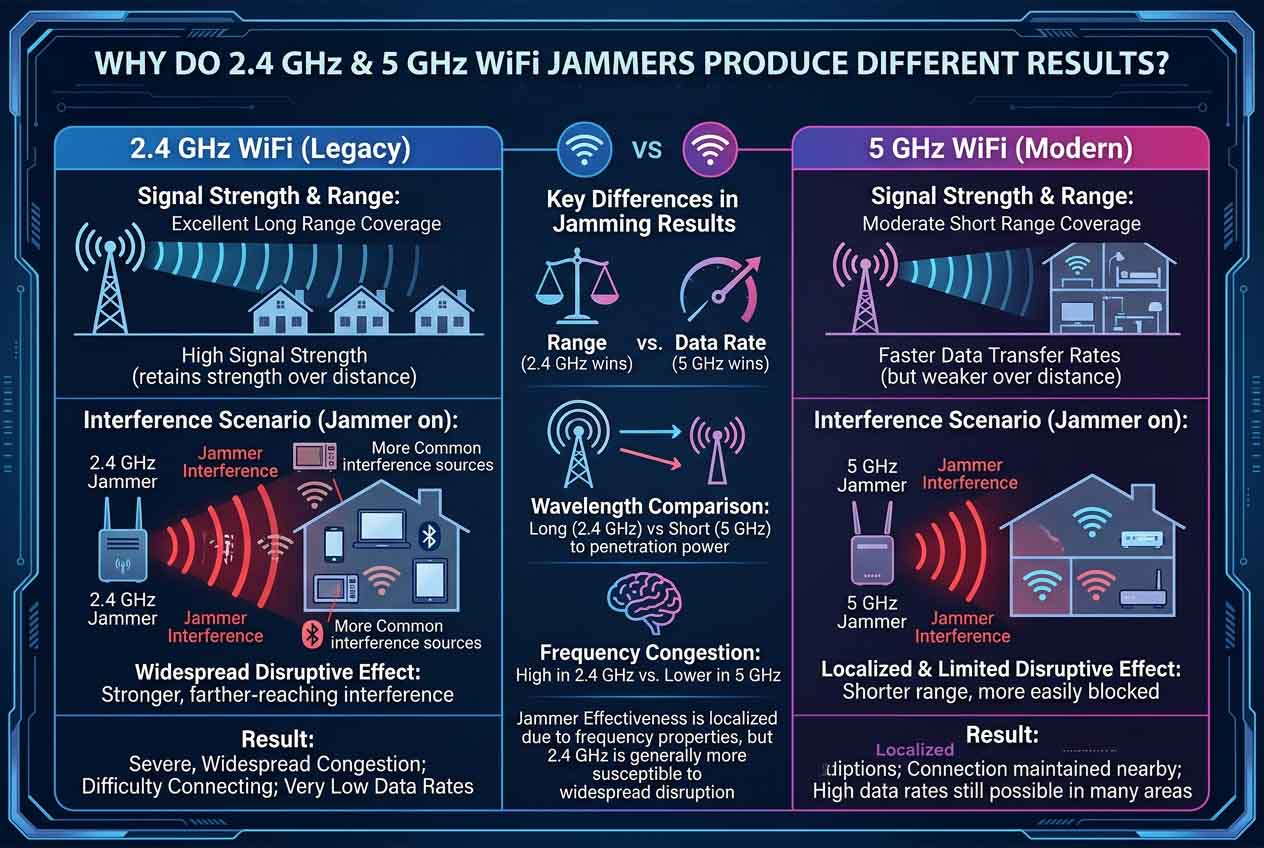
A major difference comes from wavelength.
Lower-frequency signals usually maintain strength over longer distances and pass through obstacles more effectively. This is why a smart doorbell at the front entrance or a security camera in the backyard may still rely on a 2.4 GHz connection even when the router is located inside the house.
For example:
A homeowner in Texas may place a WiFi camera near a garage 50 feet away from the router. The camera may stay connected through 2.4 GHz because the signal can travel through walls more effectively than a 5 GHz connection.
However, this advantage also means 2.4 GHz networks can create a larger wireless footprint around a property.
The 2.4 GHz band has been used for many years and supports a large number of consumer devices. Typical devices using 2.4 GHz include:
The surrounding environment, router strength, device distance, and building structure all influence how noticeable interference becomes.
In the United States, the 2.4 GHz spectrum has fewer non-overlapping channels compared with 5 GHz, making congestion more common in areas with many nearby networks, such as apartment buildings.
Because 2.4 GHz is widely used by smart home devices and older wireless equipment, it is one of the most active consumer WiFi bands. A WF-1 - Mini cheap wifi bluetooth Jammer designed for this frequency must deal with a busy wireless environment where many signals may already exist.
The surrounding environment, router strength, device distance, and building structure all influence how noticeable interference becomes.
Imagine a Chicago apartment building where dozens of residents have WiFi routers. Many networks may compete within the same limited 2.4 GHz space.
The result:
More competing signals
More background wireless activity
Different connection behavior between devices
5 GHz was introduced to reduce some of the limitations of crowded 2.4 GHz networks.
Compared with 2.4 GHz, 5 GHz generally offers:
This is why many American households use 5 GHz for:
4K video streaming
Online gaming
Video conferences
Large file transfers
The same characteristics that allow 5 GHz to deliver higher performance also create limitations.
A 5 GHz connection may weaken faster when passing through:
Concrete walls
Multiple floors
Metal structures
Large appliances
Example:
A laptop sitting in the same room as a router may receive an excellent 5 GHz connection. Move that laptop to a basement office, and the device may automatically switch to 2.4 GHz because the longer-range band provides better coverage.
This automatic switching is common with modern dual-band routers.
This means that the WF-T3 stationary wifi jamming device, which operates at 5 GHz, will encounter different conditions compared to a 2.4 GHz environment.
One of the most confusing situations for users is this:
“My phone works normally, but another wireless device behaves differently.”
The reason is often frequency selection.
A modern router may broadcast:
One 2.4 GHz network
One 5 GHz network
A combined network using band steering
Different devices choose different connections based on:
Hardware capability
Signal strength
Distance from router
Network settings
| Question | Answer |
|---|---|
| Does higher frequency always mean better performance? | No. Distance and obstacles matter. |
| Why does 2.4 GHz reach farther? | Lower frequency signals generally travel further and penetrate obstacles better. |
| Why is 5 GHz often faster? | It offers wider channel availability and supports higher throughput. |
| Why do devices behave differently? | Each device may connect to a different frequency band. |
| Does location matter? | Yes. Homes, offices, and apartments create different wireless conditions. |
The difference between 2.4 GHz and 5 GHz WiFi behavior is not only about router specifications. Frequency characteristics also influence how WiFi interference equipment, including WiFi jammers and blockers, interacts with modern wireless environments.